Groups and exam assignments
Manager uses Groups for reusable collections of examinees and mappings to decide which exam papers each examinee may take.
When to use a Group
Create a Group for a set of people you regularly handle together, such as:
- a course or class;
- an intake or cohort;
- an assessment center;
- a department; or
- a scheduled sitting.
A Group does not grant staff permissions. Use a Circle for access control.
Create a Group
- Open Manager.
- Select File → Create New Group.
- Enter a unique name and a useful description.
- Save the Group.
- Select the Group, then add examinees from the searchable list.
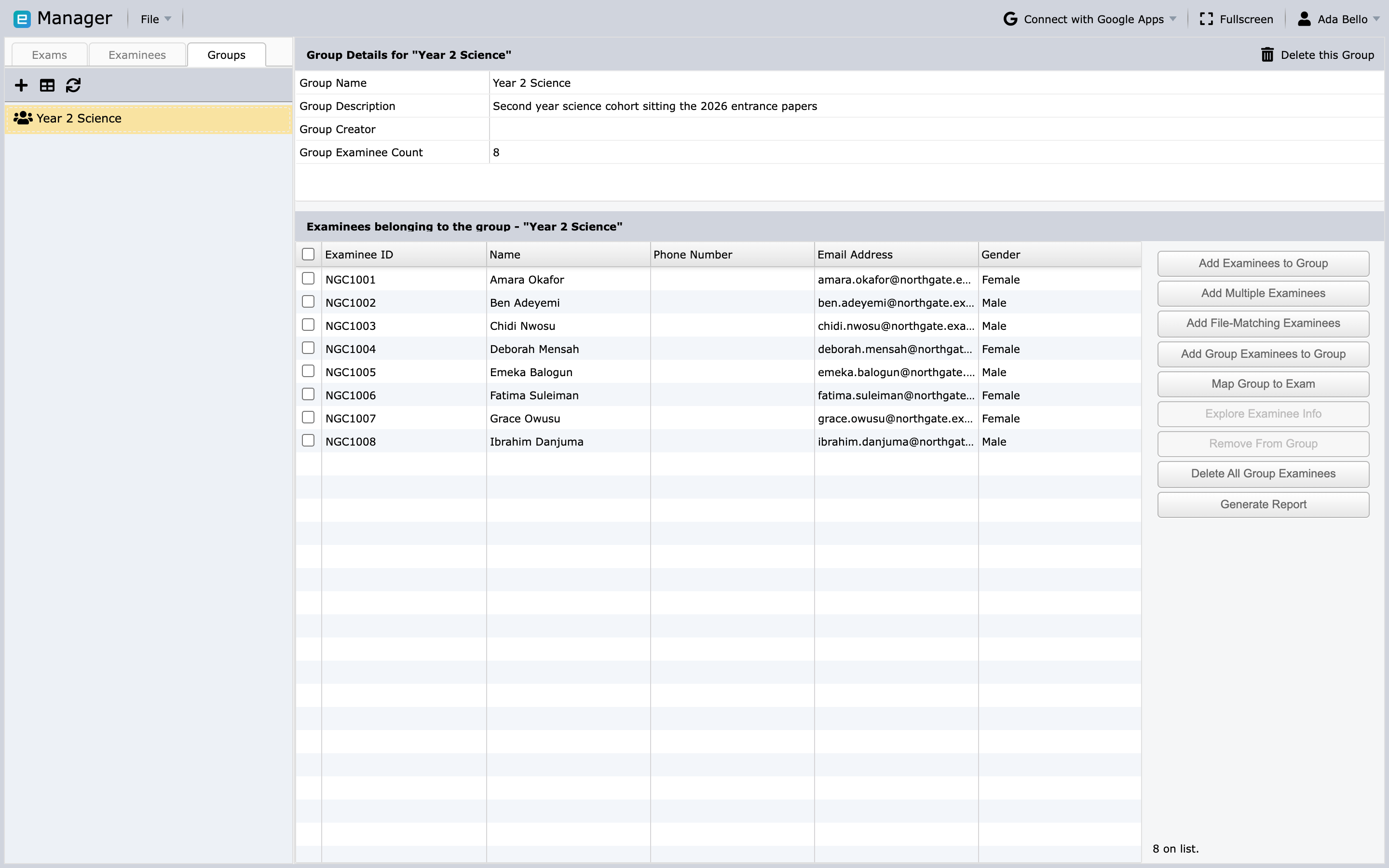
The buttons beside the member list cover every way of filling a Group: add examinees one at a time, add several at once, add the examinees matching an uploaded file, or copy the membership of another Group.
You can also add Group membership from an examinee record or assign imported examinees to a Group during file import.
Map one examinee to an exam
- Open the Examinees tab and select the person.
- Choose the action to map the examinee to an exam.
- Search for and select one exam.
- Continue to paper mapping.
- Select the papers the examinee may take.
- Optionally assign the earliest exam time and choose the correct time zone.
- Save the mapping.
Only one exam is selected in a single mapping operation, but you can map the same examinee to additional exams in later operations.
Map several examinees from an exam
- Open the Exams tab and select the exam.
- Choose Map Examinees.
- Search for examinees by name, code, or an available additional field.
- Move the intended examinees to the selected list.
- Continue to paper mapping.
- Choose the papers and optional start time.
- Save the mappings.
Map a Group
You can begin from either the exam or Group:
- Select an exam and choose Map Groups; or
- select a Group and choose Map Group to Exam.
When mapping a Group, Manager applies the assignment to current Group members who are not already mapped to that exam. Adding someone to the Group later does not imply that every past mapping operation is automatically repeated, so review the exam's mapped examinees after membership changes.
Choose papers and time carefully
The selected papers are the papers the examinee can take in Client. If an exam contains several papers, confirm that every candidate has the correct combination.
The optional mapped start time is the earliest time the exam is available for that assignment. Always verify:
- calendar date;
- local time;
- time zone;
- daylight-saving implications; and
- whether candidates in different regions need separate assignments.
Verify mappings
Before publishing an exam:
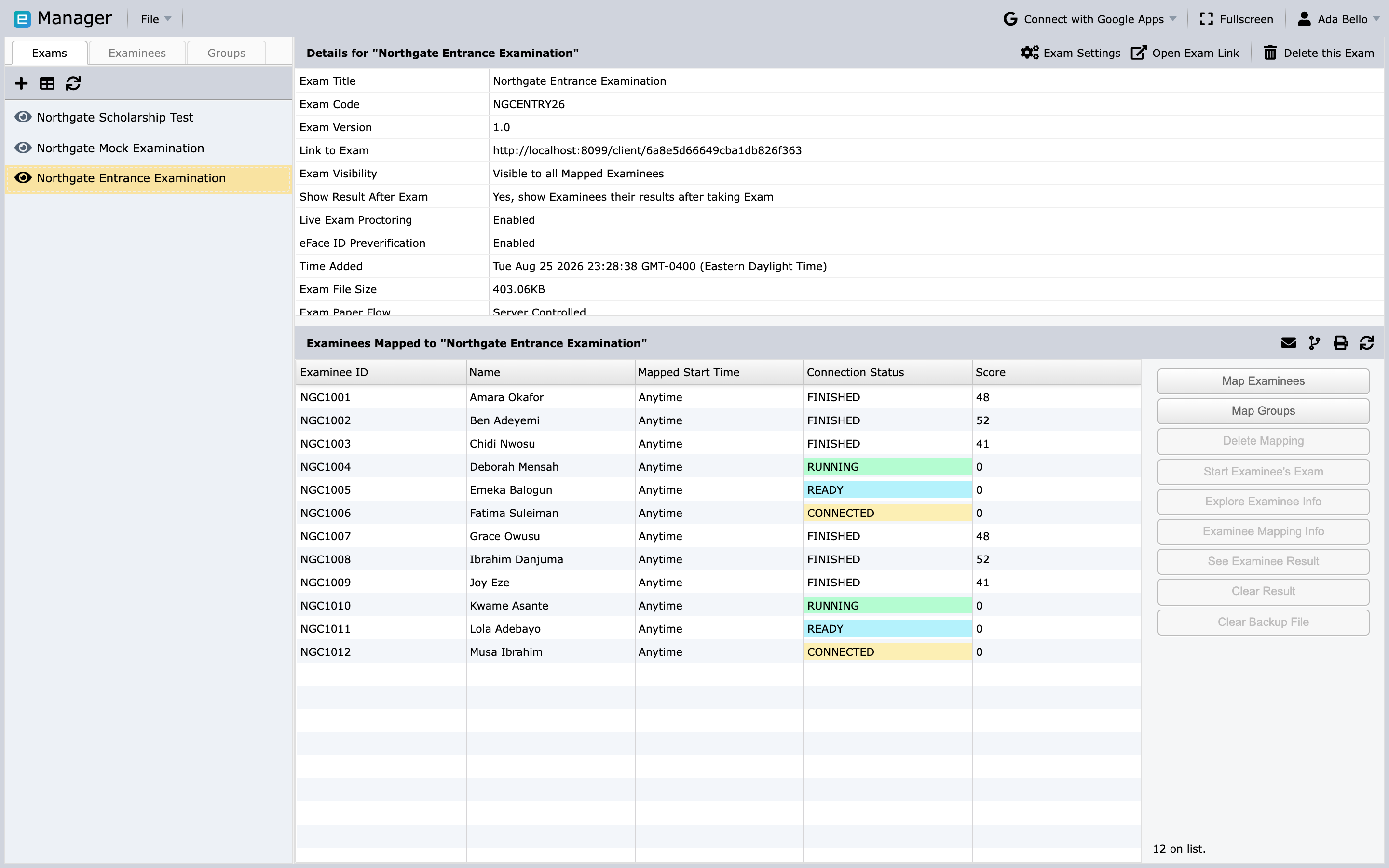
- Open the exam's mapped-examinee list.
- Compare its count with the intended roster.
- Spot-check paper assignments.
- Check start times and time zones.
- Confirm that withdrawn or duplicate candidates are not present.
- Test with an examinee account that has the same paper pattern.
Deleting a mapping removes the assignment; it does not delete the underlying examinee or Group.
Next step
Continue with Deliver, monitor, and report.