User roles and permissions
Staff members sign in as Users. Each User has an account role that controls which application areas are available. Circles then narrow access to specific exams and examinees.
Examinees do not need staff User accounts; they enter through an exam link with their examinee credentials.
Account roles
| Role | Use it for | Typical access |
|---|---|---|
| Root | The primary organization owner | Organization administration, Users, Circles, Settings, billing, Designer, Manager, and eligible Proctor workspaces |
| Administrator | Trusted platform administrators | Users, Circles, Settings, Designer, Manager, and eligible Proctor workspaces; no organization billing access |
| Regular | Question authors, exam coordinators, and other operational staff | Designer and Manager for resources permitted through Circles; can view relevant Circles and use eligible Proctor workspaces |
| Invigilator | Staff who only supervise active exams | Proctoring for assigned and enabled exams |
Because Root and Administrator accounts can manage other staff and organization settings, assign them sparingly.
How Circles affect access
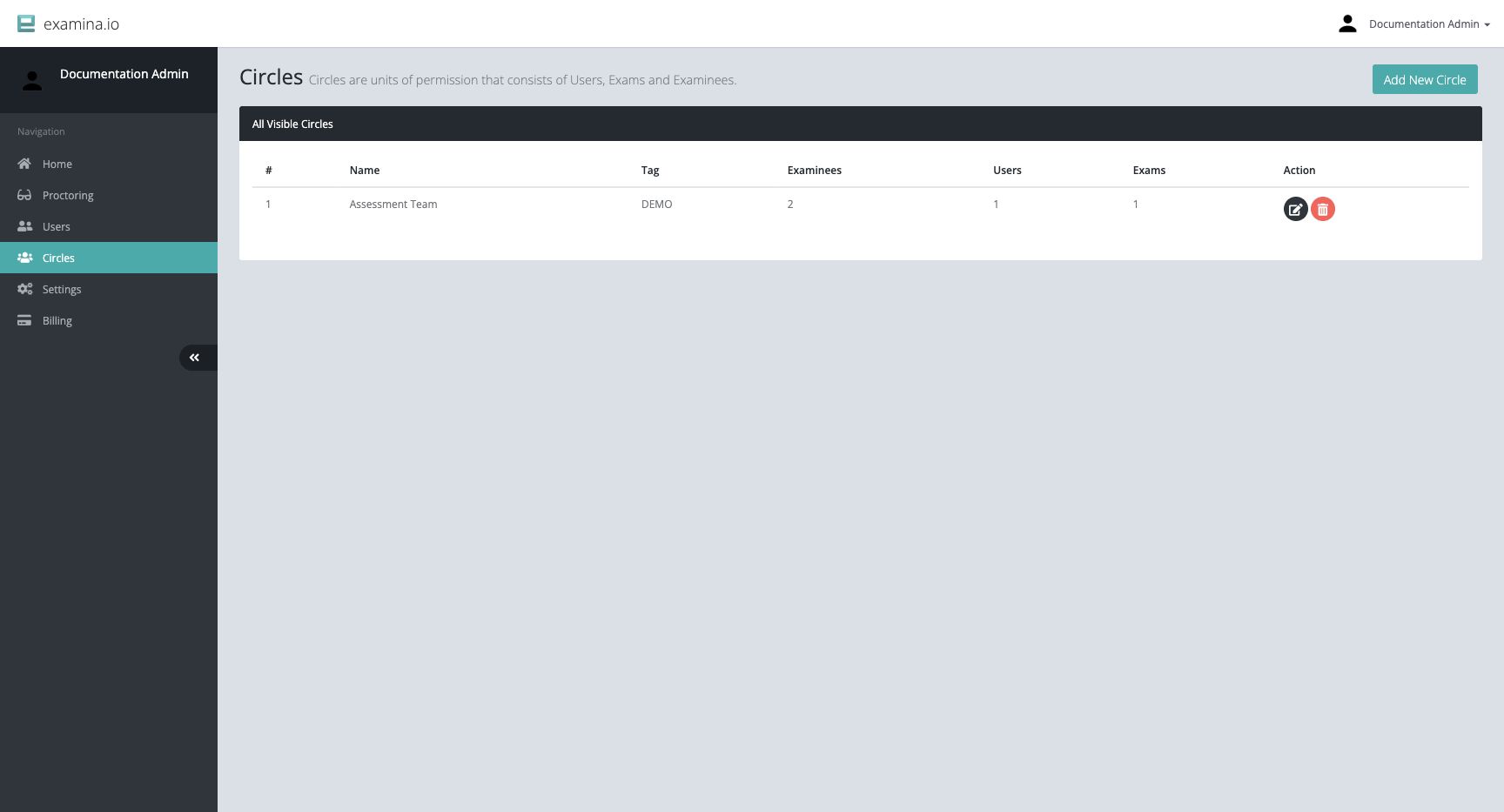
A Circle contains three kinds of member:
- Users who receive access;
- Exams they may work with; and
- Examinees they may view or manage.
For example, a BIO-201 Circle could contain the course coordinator and
invigilators, the midterm exam, and the enrolled students. Staff outside that
Circle would not gain access merely because they have a Regular account.
Recommended role model
- Keep one or two carefully protected Root accounts.
- Use Administrator for people who maintain Users, organization Settings, or Circle structure.
- Use Regular for day-to-day authoring and exam-management work.
- Use Invigilator when a person only needs the Proctor workspace.
- Create Circles around stable responsibility boundaries such as a course, department, customer, or exam program.
- Review and remove access when a staff member changes responsibility.
Permission checklist
Before an exam:
- Confirm each staff member has the lowest role that supports their job.
- Confirm the exam and its examinees are in the intended Circle.
- Confirm each operational User is in that Circle.
- If proctoring is enabled, confirm the assigned invigilators can see the exam.
- Test with a non-administrator account to verify the intended boundary.
For setup instructions, see Users and account roles and Circles and permissions.